CK5
Register an account today to become a member! Once signed in, you'll be able to participate on this site by adding your own topics and posts, as well as connect with other members.

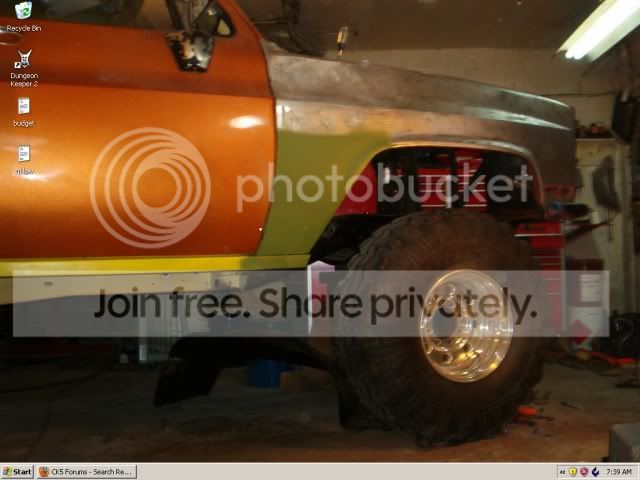
87 K5 Build...Hmmm, whats that Ryoken up to? stay tuned...

Press the Print Screen button (which copies the current screen to the clipboard), then open paint and paste the copied image. Then save as a jpg and you are good to go.

(oops, should have refreshed before I replied)

Alt-Print Screen just captures the contents of your browser though, while just Print Screen captures your entire display.
 
Press the Print Screen button (which copies the current screen to the clipboard), then open paint and paste the copied image. Then save as a jpg and you are good to go.

(oops, should have refreshed before I replied)

Alt-Print Screen just captures the contents of your browser though, while just Print Screen captures your entire display.

How do I find "the clipboard"?

Edit nevermind figured it out.
After I open paint, just hit paste.
 
desktop.jpg
 
i usually like the black border.. my images are sized at like 650....


untitled.jpg
 
No your image is in the middle of your screen with a thick black border. My image takes up the whole screen with no border.

Never mind, you've edited your responds.
You are only taking picture with a camera phone?
 
the pic/file is like 650 wide, i just load it as centered... and mark the background color as black... stretch, gives me full...

ya know, right click desktop, properties, destop tab, yada, yada...
 
Last edited:
and it certainly looks like a camera phone don't it? :doah:

it's an HP 320 2.1MP from circa 1893! :wink1::haha:


well, i resize most pics down to 650 for photobucket and posting here... do they show up small for you guys? i run my monitor at 1024 x 768 and they fit well...
 
sooooooooo, I just put a list together for Waytek Wiring...

over $500 worth of "stuff"! :eek1: :doah::o

my available Contura switch selection now is just gonna be plain stupid... :wink1: the truck will have 20... :crazy::p: wire spools, etc in that order too...

been working a bit on a "near final" wiring diagram lately... the circuits have been designed.. overhead console, rear winch, dash, yada, yada..... at this point it's figuring out certain wire gauges, wire colors, connections and termination, etc.....

right now, it's pushing 1/2 a notebook in circuitry notes, requirements, parts, etc.... working towards a killer "end product" for a wiring diagram.. both for me personally, paper-wise.. I'm thinking I may need a little help at the end from Kinko's! :haha: and also in jpg format for the brotherhood.... :wink1:
 
oh, and just to note... I'm setting up the overhead console to have a 3' dropdown pigtail connector, so i can install/remove it easily when I need to go in there...
 
part 3...... :haha:

question for the brotherhood.... :bow:

does anyone know a good weatherpack supplier? widest assortment at THE best prices?

I've always kinda just piecemealed my way thru with them... picks, wrong crimpers, poor parts selection... I'm looking for a vendor I can get the full line at a fair price... gonna have a substantial order soon as the final truck wiring will have quite a few....
 
Summit sells a kit with 1x, 2x, 3x and I think 4x male and female connectors with the seals and crimps. Enough to get you started.
They also sell the crimper and weatherpack punch out tool for disassembly.
 
i'll take a peek and see how extensive they are.... i'm sure the prices are decent probably....


there are very specific ones i want for apps... the 6 pin ones, i need a few... i also need a few of the big 3 pin 10 g metripacks too...
 

Latest Posts

Top Bottom