CK5
Register an account today to become a member! Once signed in, you'll be able to participate on this site by adding your own topics and posts, as well as connect with other members.

87 K5 Build...Hmmm, whats that Ryoken up to? stay tuned...

This got me to thinking about my console and dash. A quick Google of dry transfer decal paper got me this link. Check out the aircraft dashes in the customer photos. The cool thing is all the choices of colors. It may be overly complicated to do, but I think I'll research this a little more, maybe even order a kit to play with and see how durable the transfers are.


this is quite the little process... it's very cool... that airplane dash looks freakin sweet.... :bow:


this section is what would apply to me with a black background.... using a white foil

[FONT=Verdana, Arial, Helvetica, sans-serif]Putting Color Toner Images on DARK or BLACK Target Surfaces![/FONT]
[FONT=Verdana, Arial, Helvetica, sans-serif][SIZE=-1]Up to this point, we've been showing you color images that have been put on light colored surfaces (eg. white cardboard and a soft yellow as shown on the bottle above) however, this is cheating a little bit. Color toner by its very nature must be printed on white paper in order to see vibrant color. If you were to put a yellow piece of paper into a color printer and print a bright RED square, your result will be a very stunning ORANGE! If you will take a peek again at the two images above where we are applying the adhesive and then then applying the image to the decorative yellow toned bottle, notice the shade difference in the green leaves of the graphic before and after the mage is transferred to the bottle. There is a definite color shift.[/SIZE][/FONT]
[FONT=Verdana, Arial, Helvetica, sans-serif][SIZE=-1]
The reason is, the 4 toner colors (cyan, magenta, yellow and black) are EXTREMELY thin. Because of this, they have no 'body'. They are so thin in fact, that they don't even reflect light directly. Light actually passes mostly between the toner particles, hits the white background (eg. a white piece of paper that the image was printed on) and then as it is reflecting off the white paper, it's tinted by the toner color and eventually makes it back to your eye. It's such a neat trick that you'd swear you are seeing pure vibrant color... but you aren't! So, if you need to put an image on a dark or even black background, how do we get vibrant color? Simple... put the same white foil (WhiteTRF) that we've used before to turn black toner white UNDER the toner.One of the more advanced DecalPRO techniques involves putting a full color image on target surface that is not white. In the picture above, we made two identical columns of colored text. The right side is plain toner on the black background, however, the left side has had the "trick" performedIf the background is black as shown above, you can see just how much [/SIZE][/FONT]
[FONT=Verdana, Arial, Helvetica, sans-serif][SIZE=-1]So how do you get access to the bottom of the toner you ask? ... print it in "mirror"! In the DecalPRO starter kit there is a set of full color graphics, half of which have already been printed in reverse so you can practice this technique right out of the box. (Actually, you need to practice the simpler techiques first, but after gaining proficiency, then you'd tackle this technique). As shown above, you see two identical columns of color "words". The right side shows how transparent color toner actually is. The left column was printed in reverse so we could apply the white foil UNDER the toner.[/SIZE][/FONT]
so i'd be looking at $300 or so to get a laser printer and about $100 for a startup kit..... and the laminator $70....

hmmmmmmmm, that'd be sweet if i could do orange lettering and have a grayish shadowing effect... :pimp:

I like this because it's DIY and puts me in complete creative control, color, font, size, etc... I could do complete words too....


I want.... :haha:


actually..... it is something that could be useful down the road if i ever get Dashworks up and running....

oh, and as Greg would put it, WELCOME TO PAGE 24! :bow:
 
I guess I had left the printer out of the equation because i already have one. We bought it before our daughter got married and I can't believe how much cheaper it is to use than an ink jet. I can also justify the laminator to myself as something we should have even though I've never used one, nor even had anything laminated.:haha:My math then tells me it's only $100 or so to get setup. It's good to be delusional.
One thing I've not been able find is a library of icons. I can make text labels and maybe that is the way to go, but some things would be easier to label with an icon.
 
I dont want any icons, i want text for all of em.. i have odd, or specific tasks and lots of switches...
 
Last edited:
I work with a custom graphics designer, he can custom make anything you would like or need for labels. He has done a lot of work for me in the sticker/ stencil area. The last thing he made for me was reverse letter stencil for etching glass. Was 3/8 in tall and about an inch long with the names I wanted. Turned out awesome. If ya want i can mail ya his specifics.

Also I could use some advice on a boat im working on. Check your PM.

Thanks, Bruiser
 
thanks Bruiser, I'll get to that one in a bit...


here's one for everyone, any font suggestions? :wink1: I used to have tons of fonts downloaded, i'll have to look for that folder.....
 
huh..... the forum wont let me do it in caps... :confused: well, i can guess what i'll be doing at 3 am..... :haha:
 
thats Tahoma, I've used that a bunch over the years... my fave in there too....
 
ok, just a little inside "the life that Ryoken has given up for his rig" moment..... :o:haha:


here's what I've been doing at night while watching the Military Channel.....


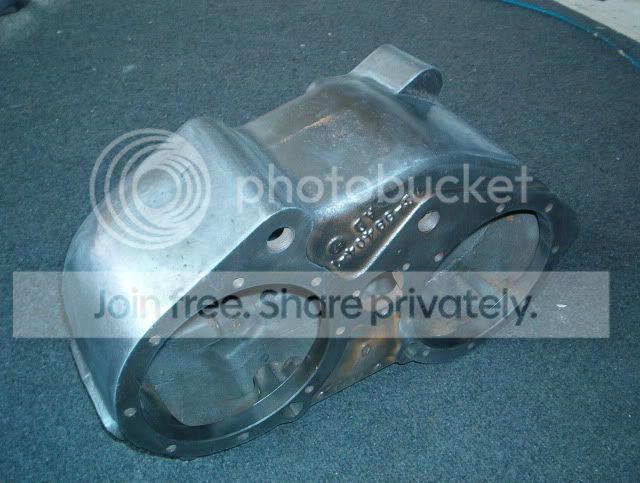
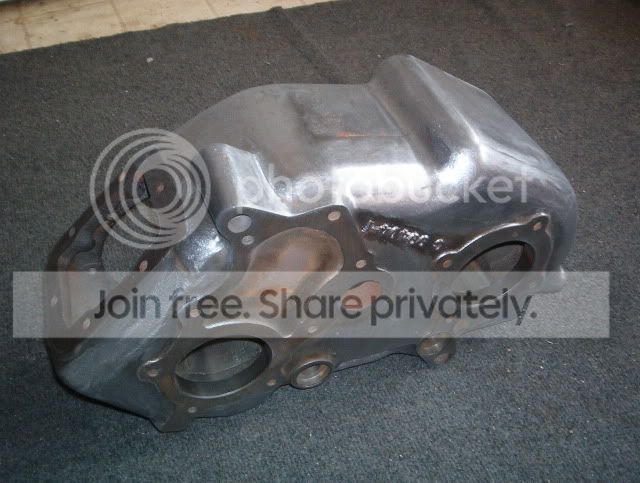
buffing out the billet NP205 stuff..... they're getting there... undone one to the left...


smooth001.jpg


smooth002.jpg


and for any OCD types that ever wondered what an NP205 would look like deburred and smoothed... :crazy:


smooth004.jpg


smooth003.jpg


little more left to do.... I'll put it in zinc tomorrow, then paint in a couple weeks...


and yes...... I know, I have a problem.......... :wink1::haha:
 
yup, very few people that've polished an auto tranny... :crazy:

I've done it 3 times...... :eek1: :doah::wink1:

just getting things ready while I wait on a couple last parts..... keeps me outta trouble! :wink1:
 
Last edited:
My good friend has one that is polished. Wondered how hard it would be to do. After about 14 hours to do my weld wheels last summer I figure I can do it.
 
My good friend has one that is polished. Wondered how hard it would be to do. After about 14 hours to do my weld wheels last summer I figure I can do it.
i feel your pain... where you reading the thread when i did the wetsand polish on the inside of my Welds?

man was that sh*tload of work..... :doah:the entire insides where tar covered PEBBLEGRAIN cast.... musta went thru a 1/2 sleeve of wetsand paper, flap wheels, etc...

gotta love super duty compound on alum.... :bow: that black sh*t, the smell... :doah: yup, I do love it! :haha:

I did em in the bathtub in shorts and barefeet! :o:haha:

I've done some intakes and trannies.... if your setup with implements of grinding, sanding, etc, it's not tooooooooo insane.... :crazy: I like to think... :whistle:
 
i feel your pain... Where you reading the thread when i did the wetsand polish on the inside of my welds?

Man was that sh*tload of work..... :doah:the entire insides where tar covered pebblegrain cast.... Musta went thru a 1/2 sleeve of wetsand paper, flap wheels, etc...

Gotta love super duty compound on alum.... :bow: That black sh*t, the smell... :doah: Yup, i do love it! :haha:

I did em in the bathtub in shorts and barefeet! :o:haha:

I've done some intakes and trannies.... If your setup with implements of grinding, sanding, etc, it's not tooooooooo insane.... :crazy: I like to think... :whistle:

Yup should have never left them go for some 15 years. I had to wet sand all of mine to polishthem out cause how bad they were. It took 2 hours each just to fix the center caps
DSC01817.JPG

DSC01822.JPG

DSC01817.JPG

DSC01822.JPG
 
Thanks, I do too. Just suck they don't make them any more. Got luck and found a place that had some decals still for the center caps.
 
smooth..... :wink1:


smooth005.jpg


smooth006.jpg


smooth007.jpg


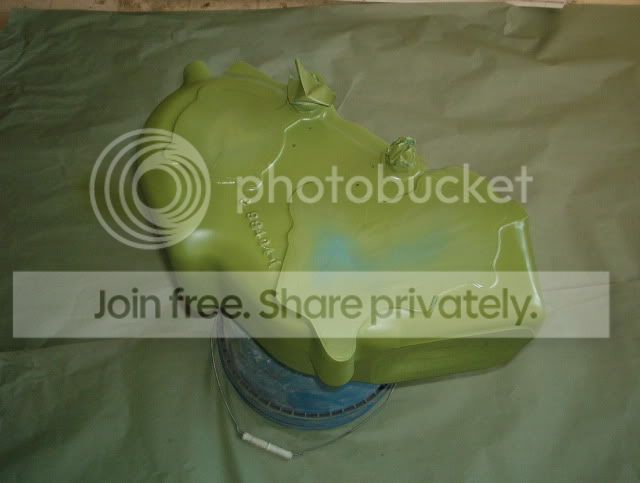
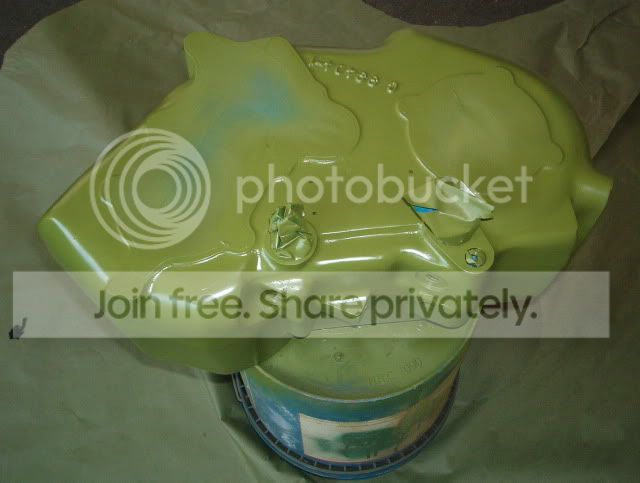
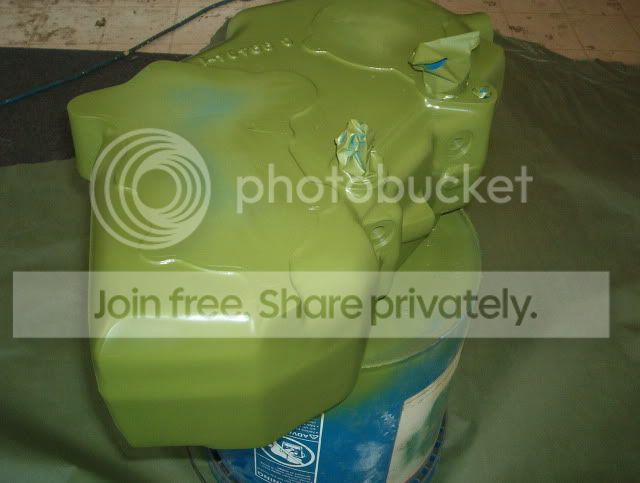
it's amazing how much casting flash can be removed... :D
 
Men that thing looks good. :bow: :bow:
You are just going to make me need to do more little extra's to mine.:haha::haha:
 

Latest Posts

Top Bottom